Andorra eSIM

€399


Payment & Security

Accepted payment methods

  • American Express
  • Apple Pay
  • Bancontact
  • BLIK
  • EPS
  • Google Pay
  • iDEAL Wero
  • Klarna
  • Maestro
  • Mastercard
  • MB WAY
  • MobilePay
  • PayPal
  • Przelewy24
  • Shop Pay
  • Union Pay
  • Visa

Select your payment method after clicking “Add to cart”

Privacy Assurance

Your privacy is our priority. Your personal and payment information is secure, never shared with third parties, and protected for a safe shopping experience

Key perks of the Andorra eSIM

  • Access high-speed 4G/5G data throughout Andorra’s cities, ski areas, and mountain towns
  • No roaming fees—enjoy transparent, prepaid data with no contracts or overage charges
  • Flexible data plans designed for both short getaways and longer visits
  • Coverage in Andorra la Vella, Pas de la Casa, Encamp, Ordino, and more
  • Works with any unlocked smartphone or tablet that supports eSIM technology
  • Though there's no phone number, Calls are still possible using apps such as Whatsapp, Skype, Telegram and many more

Need more info?

FAQs about our Andorra eSIM products.

Everything you need to know about the Andorra eSIM, grouped so you can find the right answer faster.

Still unsure?Our travel support team can help.
Ask us

What does the Andorra eSIM include?

The Andorra eSIM is data only. It does not include a phone number, calls or texts. Choose the data amount and number of days that suit your trip from the plan options on this page.

Can I make calls with the eSIM for Andorra?

Not as standard phone calls. The eSIM for Andorra is data only, so it has no call minutes or texts. You can still call and message over its data with apps such as WhatsApp.

Does the Andorra travel eSIM come with a phone number?

No. The Andorra travel eSIM is data only and does not include a phone number. To stay reachable, use calling and messaging apps such as WhatsApp over its data.

How long is the Andorra eSIM valid?

The Andorra eSIM lasts for the number of days shown in the plan you choose, counted from when the data plan starts. Until it has connected to a network for the first time, it stays valid for 1 to 2 years, so you can buy it well ahead of your trip.

Which network does the eSIM for Andorra use?

The eSIM for Andorra is not tied to one carrier. It connects automatically to the strongest available partner network once data roaming is switched on. If it does not connect, search manually: on Android go to Settings > Connections > Mobile Networks > Network Operators and turn off Select Automatically; on iPhone go to Settings > Mobile Data > Network Selection and turn off Automatic.

How do I install the eSIM for Andorra?

You install the eSIM for Andorra by scanning its QR code. Go to Settings > Mobile Data (or Connections) > Add eSIM > Scan QR Code > Next, then wait until the eSIM has installed. If installation fails, take out the physical SIM card that is in your phone and try again. Then switch on data roaming: on Android under Settings > Connections > Mobile Networks, on iPhone under Settings > Mobile Data > Mobile Data Options.

How do I activate my Andorra travel eSIM?

Send an activation request for your Andorra travel eSIM on our activation page. It is pre-activated as soon as we receive the request, whatever date you enter, and you receive an activation email. The data plan itself only starts when data roaming is switched on and the eSIM connects to a network.

Can I keep using WhatsApp with my own number on the Andorra travel eSIM?

Yes. WhatsApp keeps working with your current phone number while the Andorra travel eSIM provides the data.

How do I check how much data is left on the Andorra eSIM?

Your phone's mobile data usage screen shows an estimate, but it is not always accurate. For an exact figure, contact our support team. You will not receive a message when your data runs out.

Will my phone work with the Andorra eSIM?

The Andorra eSIM works on eSIM-compatible iPhone and Android devices. Your phone must also be unlocked. If it shows 'blocked', 'barred', 'incorrect SIM' or 'SP lock', it is locked to another network: ask your current provider for the unlock code.

eSIM Activation Made Easy

  • Email with the USA eSIM activation QR code and link

    Step 1: Receive Your Activation Link

    After purchasing your Andorra eSIM, you'll receive an email within an hour. This email includes a QR code and a direct link to our activation page. If you can’t scan the QR code, simply click the link.

    Important: This QR code and link are not your eSIM but your access to book your activation.

  • Booking a USA eSIM activation date on the activation page

    Step 2: Book Your Activation

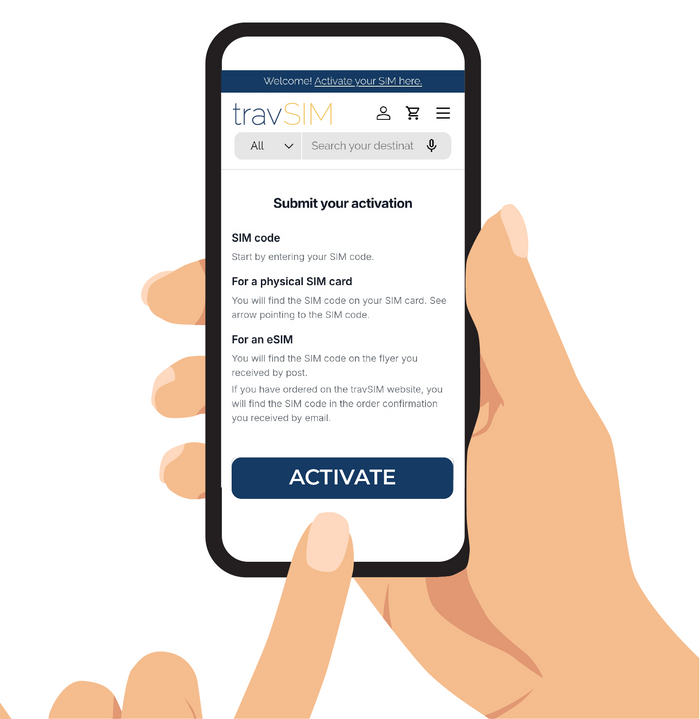
    Click the link or scan the QR code to open the activation page. The SIM code is pre-filled, so you only need to enter your personal details and choose your activation date.

    Tip: It’s important to book your activation as soon as you receive the QR code and link to avoid any delays.

  • eSIM profile QR code ready to install on a phone

    Step 3: Get Your eSIM

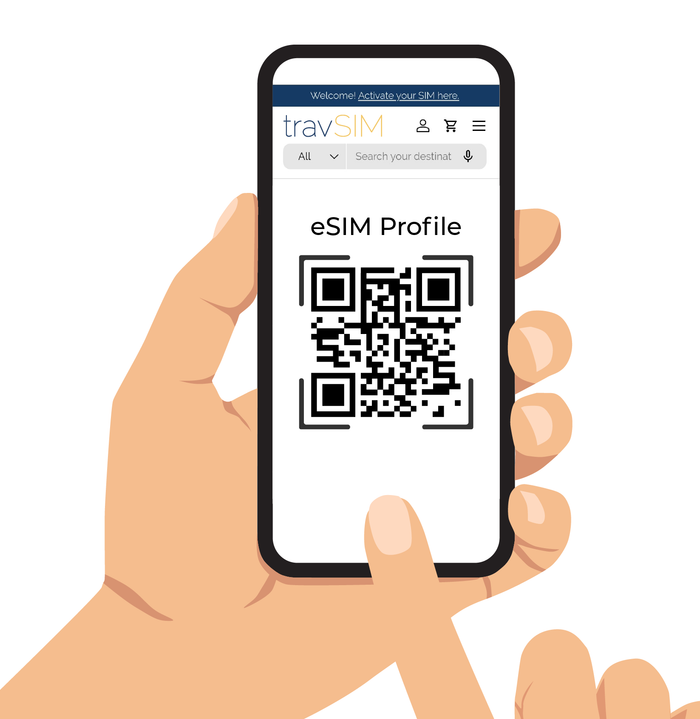
    On your chosen activation date, we’ll send you an email with the actual eSIM QR code. Simply scan it to install your Andorra eSIM and enjoy seamless connectivity during your travels.